
Wiki
🚀Getting Started
Monetoni helps you organize your finances, shopping, and daily tasks - either solo or with your family. Everything syncs automatically across all your devices.
You can start using the app right away without creating an account. Your data will be saved locally until you sign up, when it syncs to the cloud.
💰Budgeting
Track your spending and income quickly - no complicated forms or friction. Just tap, enter the amount, and you're done.
- Tap any category icon to log an expense or income
- Use the + button at the bottom for quick entry
- The built-in calculator helps with amounts (e.g., “25.50 + 10”)
- All transactions sync instantly to your team
Every transaction gets assigned a category with its own icon and color. We provide ready-to-use categories for common expenses like food, transport, utilities, and entertainment. Premium users can create their own custom categories.
Tap the main chart on the budget screen to see a detailed breakdown of your spending. You can view by day, week, month, or year, and see exactly where your money goes.
Set up automatic tracking for regular expenses like rent, subscriptions, or utilities. Choose how often (weekly, monthly, etc.) and the system automatically adds them to your budget.
- Create and customize your own categories and subcategories
🛒Shopping Lists
Create shopping lists for anything you need - groceries, household items, gifts, or packing lists. Share them with your team or keep them private.
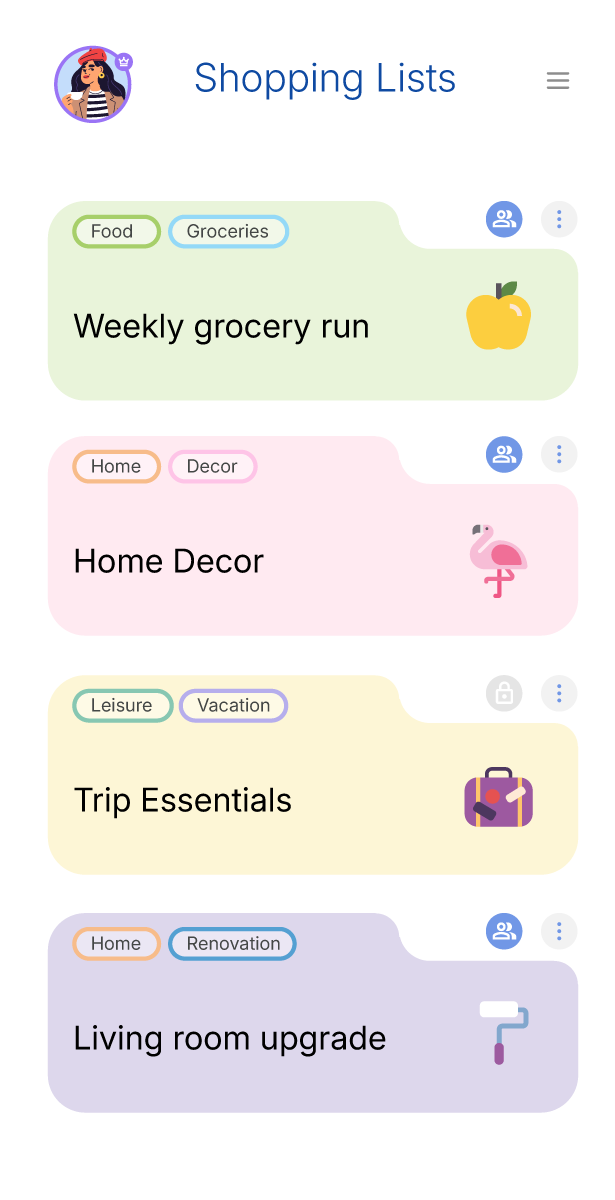
- Create a shopping list
- Add items by typing or using suggested items
- Check items off as you shop
- Turn checked items into expenses instantly
Choose public (shared with your team) or private (only you can see) for each list. Your team sees your public lists in real-time.
Enable “Repeated” mode to keep items on the list even after checking them off. Perfect for weekly grocery shopping - your essentials stay there.
Send any shopping list directly to your calendar (My Day) to plan your shopping trip with specific times.
- Create unlimited lists
📁Projects
Organize bigger endeavors like trips, events, home renovations, or long-term goals. Group related tasks and expenses together.
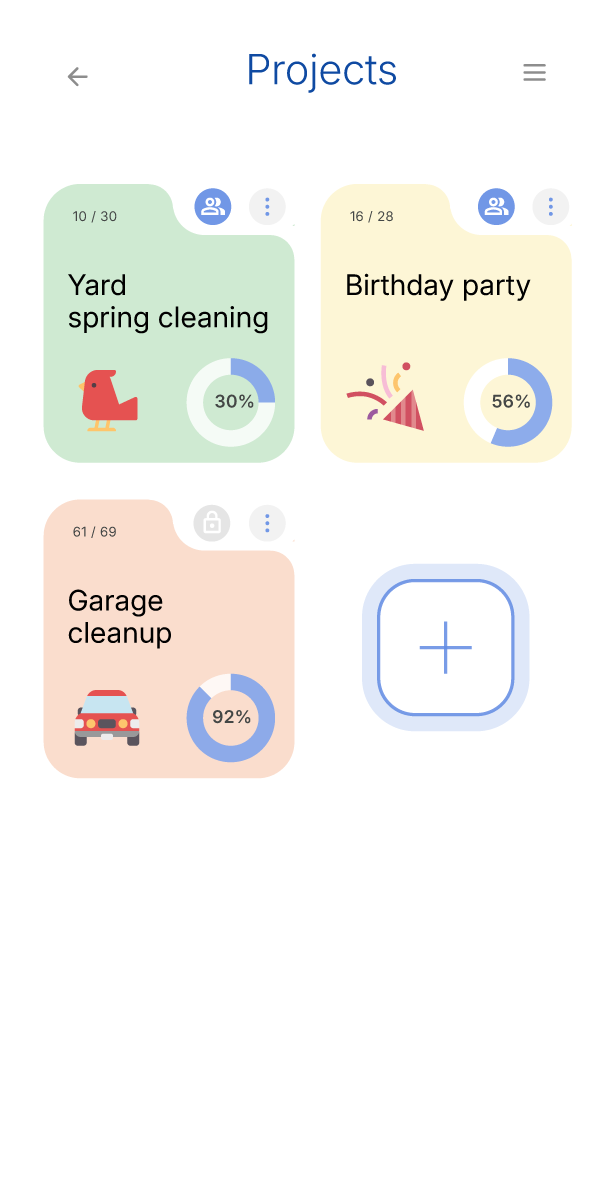
- Create a project with a name and color
- Add tasks with due dates and track progress
- See completion percentage at a glance
Send project tasks to your calendar (My Day) to tackle them at specific times. Great for trip planning or event preparation.
Choose public (shared with team) or private (only you) for each project. Team members see your public projects and can collaborate.
Pause projects by archiving them. They stay stored and can be restored anytime - useful for seasonal or long-term projects.
- Create unlimited projects
- Archive and restore projects anytime
☀️My Day (Calendar & Tasks)
Your daily planner showing today's tasks and events in a clean, simple view. Stay organized and know what's coming next.
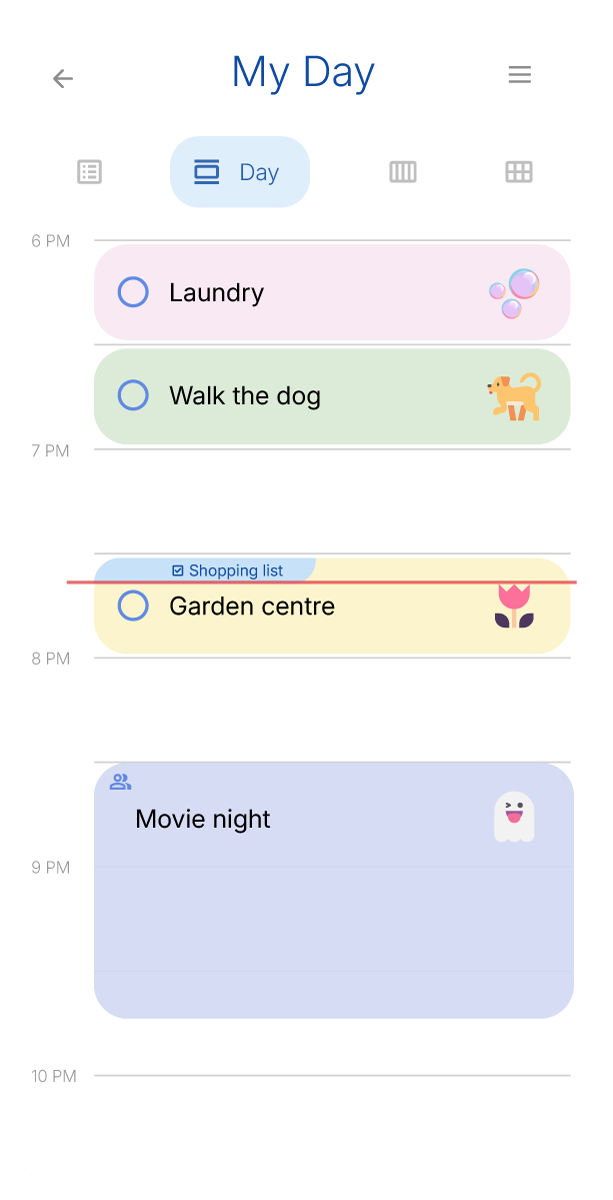
- List View: Simple chronological list
- Day View: Hour-by-hour timeline
- Week View: Full week at a glance
- Month View: Calendar overview
Add tasks directly in My Day, or bring them in from:
- Projects - any project task can be sent to My Day
- Shopping Lists - send items as a shopping trip
- Tasks: Default 30 minutes, tap to complete
- Events: Any duration you choose, time-blocked
Everything updates instantly across your team. If your partner adds a task, you see it immediately.
Team View - see what everyone is working on
👥Teams
Teams let you collaborate with family or partners. Each team has its own budget, shopping lists, projects, and calendar.
- Create a team for yourself (solo use)
- Invite family members via email
- Switch between teams anytime
- Everything syncs within the team
Keep a personal team just for yourself, or create a family team to plan together. You can have multiple teams.
Tap your team profile to switch between teams. All your data stays with you across teams.
⭐Premium
Premium unlocks unlimited teams, projects, and shopping lists, plus custom categories.
- Monthly: Billed every month
- Yearly: Save with annual billing
- Family sharing: Premium applies to all your teams automatically
If any team member has Premium, the entire team gets Premium features. No need for everyone to purchase.
Lost your Premium? Use “Restore Purchases” to recover your subscription on a new device or after reinstalling.
- Unlimited teams
- Unlimited projects
- Unlimited shopping lists
- Custom categories & subcategories
- Archive projects
🔔Notifications
Stay informed about what's happening in your team with smart notifications.
- Team updates: When team members make changes
- Shopping: When items are added to shared lists
You only receive notifications for items you have access to. Private tasks and lists never trigger notifications to others.
🔐Account & Data
Monetoni works right away without an account, but signing up gives you cloud sync.
- Use the app immediately
- Data stays on your device
- Convert to full account anytime
You can delete your account and all associated data from Settings. This removes everything permanently.
🌍Languages
Monetoni speaks 12 languages, detected automatically from your device.
English, German, Spanish, French, Italian, Japanese, Korean, Polish, Portuguese, Russian, Ukrainian, and Chinese.
Go to Settings to change your language at any time. The app respects your choice across all screens.
💵Currency
Your team's budget uses one currency that you choose when creating the team.
Select your preferred currency when setting up a team. All transactions in that team use this currency.
The app suggests a currency based on your language setting, but you can change it anytime.
💬Contact & Feedback
Have ideas or found an issue? We’d love to hear from you. Reach out at
You can also use the in-app feedback form to send us your thoughts, suggestions, or report problems directly from Settings.